
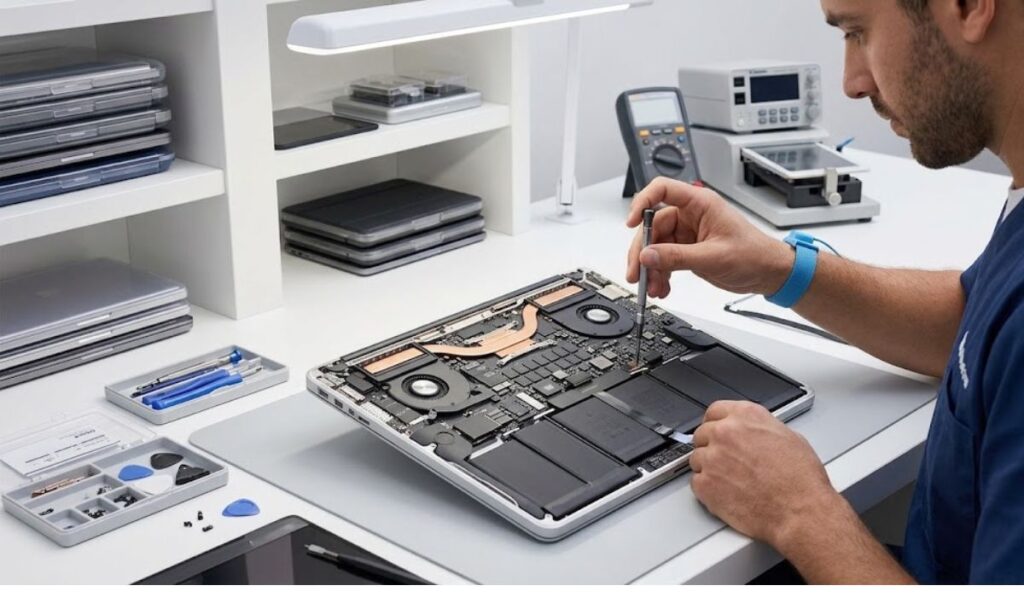

A MacBook is the kind of purchase most people don’t think about until it stops behaving the way it used to. It’s there for work, for study, for the hundred small tasks that pile up across a day, and then one afternoon it’s just slower — the fan runs a little louder, apps take a beat longer to open, the battery drains faster than it used to. None of that happens because the machine is broken in any dramatic sense. It’s usually just wear, ageing components, a software conflict that’s been quietly building, or the kind of accidental damage nobody notices until it starts affecting how the whole system runs. Some of that can be sorted with basic troubleshooting. The rest is where macbook repair services can help identify and address issues that may be affecting your device’s performance.
The tricky part is telling those two categories apart before you’ve spent a weekend trying to fix something that was never a software problem to begin with.
Identifying the Underlying Cause
A MacBook running slower than usual rarely has one clean explanation. It could be a hardware component starting to fail, a software conflict eating up resources in the background, storage that’s quietly filled to the point of struggling, heat that’s building up faster than it should, or a battery that’s simply past its best years.
This is why a proper diagnostic matters more than guesswork. A technician who actually knows what they’re looking at isn’t just reacting to the symptom you noticed — the slow startup, the random freeze — they’re working backward to find what’s actually causing it. That distinction matters, because two MacBooks with the exact same symptom can need completely different fixes.
Addressing Battery-Related Issues
Batteries don’t fail suddenly. They fade, the same way most rechargeable batteries do, holding a little less charge with every cycle until one day the difference is impossible to ignore. That shows up as battery life that doesn’t match what it used to, shutdowns that happen without warning, or a machine that feels sluggish the moment it’s unplugged.
Once battery health turns out to be the actual issue, replacing it tends to bring things back to normal fairly reliably. It’s not a job worth doing casually, though — MacBooks pack their internals tightly enough that battery replacement really is one of those tasks better left to someone who’s done it before, with the right tools and the process down properly.
Helping Manage Heat
Every MacBook generates heat, especially under anything demanding — video exports, heavier creative software, a dozen tabs and an app or two running in the background. That’s normal. What isn’t normal is heat that keeps climbing because the cooling system isn’t doing its job anymore, usually thanks to dust that’s built up over months or a fan and vent setup that’s developed a fault.
A proper service means actually looking inside — checking the cooling components, clearing out what’s clogging things up, and identifying anything that’s contributing to temperatures running higher than they should. What that looks like in practice depends a lot on the specific model and how much buildup has accumulated over time.
Resolving Hardware Issues
Hardware problems don’t always announce themselves clearly. Sometimes it’s a storage component slowing everything down. Sometimes it’s a charging port that’s stopped making a reliable connection, a keyboard with keys that don’t register the way they should, or a display that’s developed a fault of its own.
A technician who knows what to look for can usually tell fairly quickly whether something needs repairing or replacing outright, and walk you through what that actually involves. Catching these things early tends to matter too — a small hardware fault left alone has a way of turning into a bigger one.
Investigating Software Performance
Not every slowdown comes from inside the machine’s hardware. Sometimes it’s the operating system itself throwing errors, an app that’s not playing nicely with the current update, or background processes quietly running that don’t need to be.
Working through that usually means checking the health of the system itself, looking at what’s actually installed and running, removing anything that’s clearly causing problems, and making sure the operating system is doing what it’s supposed to. What the fix looks like really depends on what the diagnostic actually turns up — there’s no single answer that applies to every machine.
Supporting Long-Term Reliability
Consistent maintenance and catching problems early tend to add up over time. No repair can promise a MacBook will run perfectly forever, and nothing extends a device’s life indefinitely, but dealing with small issues before they compound tends to mean fewer bigger ones down the track.
A routine check-up also does something less obvious: it gives someone the chance to spot a problem before it’s actually a problem yet — before it’s turned into the kind of repair that costs more and takes longer.
Why Choose Professional MacBook Repair?
Modern MacBooks are built tightly, with components packed close together and little room for trial and error. That’s exactly why attempting a complex repair without the right experience tends to create more damage rather than less — it’s not a machine that forgives guesswork.
A technician who actually knows these machines can look at the condition of the device, walk through what’s actually wrong, lay out the realistic options, and carry out the repair using parts and methods suited to that specific model. That’s less about convenience and more about knowing the job’s been done properly the first time.
Where This Leaves You
A slower MacBook isn’t automatically a reason to start shopping for a new one. More often than not, it’s a specific, identifiable issue — a battery that’s aged out, a cooling system that needs attention, a software conflict quietly running in the background — and identifiable issues are usually fixable.
The part that actually matters is getting an accurate read on what’s wrong before deciding what to do about it. A proper diagnosis turns a vague feeling that “something’s off” into a clear answer, and that’s what makes the decision to repair — or not — an informed one rather than a guess.

