
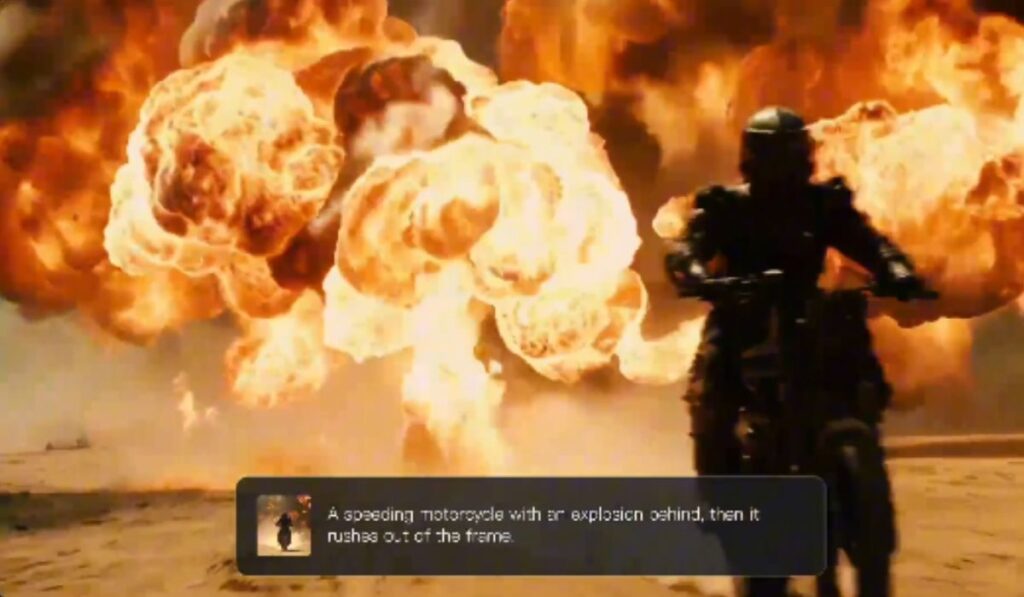
Video is now a common medium for storytelling, promotion, education and entertainment. What has changed recently is who can try it. Tools such as the Dreamina AI video generator let people turn a written idea or a reference image into a short clip using only a computer, without a camera, a studio or formal filmmaking training. Features and output quality differ between tools and change often, so it is worth checking what a given tool actually offers before relying on it.
Whether the goal is animating a landscape, building a fictional character or testing a promotional concept, the appeal is the same. Instead of planning every visual detail by hand, a user can start with a simple description and refine the result over several attempts. That is useful for early experimentation. It does not replace careful production for work where accuracy, brand consistency or licensing matter.
What Are the Characteristics of AI Video Creation?
Conventional video production involves shooting footage, preparing equipment, managing lighting and then assembling the clips in editing. An AI video maker offers a different route. It takes an input, such as a text prompt or an image, and produces a short moving clip from it.
The practical benefit is speed in the early stages. Someone planning a travel film, for example, can sketch an imagined mountain scene first and only then begin organising the real location and crew. A shopkeeper can test several marketing ideas before committing to a finished product video. In both cases the AI clip works as a draft or a concept check, and the limits are worth stating plainly: results can be inconsistent, short in length and different from what was intended, and several attempts are often needed.
Using Text to Tell a Story
With a text prompt, the model interprets the request and generates a moving image. The prompt works best when it states what appears in the video, what is happening and what it should look like. If the idea is a person riding a red bicycle through a quiet countryside while trees sway in a light wind, each of those elements should be in the description.
Vague prompts tend to produce vague results. A short, specific description of the subject, the action and the setting gives the model more to work with than a long, loosely worded paragraph.
Bringing Imaginary Characters and Worlds to Life
AI video can be useful where filming a scene would be difficult or impossible. A floating island above the clouds, a glowing forest with unusual plants or a futuristic city full of vehicles can all serve as inspiration for a story, a game, a presentation or a personal project.
For fictional scenes, it helps to describe the atmosphere and the central action rather than every small detail. A prompt about a dragon flying past a mountain peak under a snowy sky, for instance, should focus on the flight, the falling snow and the shape of the mountains. Over-specifying tends to create conflicts the model cannot resolve, and the output may ignore parts of the prompt.
Improving Movement With Precise Action Descriptions
Movement is one of the hardest parts of AI video. A visually attractive scene can look wrong if a subject moves awkwardly or the background changes too quickly. It helps to state how fast the subject moves and what mood the movement should convey.
Requesting several complicated actions inside one very short clip usually works poorly. Because the model’s interpretation can produce unexpected motion, the prompt is better simplified, with the single most important action emphasised. If the result is still off, changing one element at a time makes it easier to see what caused the problem.
Building a Repeatable Workflow
A consistent workflow saves time and, where a tool uses credits or limits, avoids wasting them. A reasonable sequence looks like this:
- Write down the goal of the clip before opening the tool.
- Draft a prompt covering the subject, the action, the setting and the visual style.
- Generate a few variations and compare them.
- Choose the best movement and refine only what needs to change.
- Keep a record of the prompts and settings that worked, so they can be reused.
For a larger project, plan the sequence of scenes in advance instead of generating clips one at a time and hoping they connect. Also check the tool’s terms on commercial use and on how generated content may be labelled, particularly before publishing anything for a business or a client.
Frequently Asked Questions
What is an AI video generator?
An AI video generator is a software tool that produces video from prompts, using text and, depending on the features available, image inputs. The quality, clip length and controls vary between tools, so the tool’s own documentation is the most reliable guide.
Can a photo be turned into a video?
Many tools offer image-to-video functions that animate a photo or illustration. The controls available determine how much movement and visual change is possible, and results from a single image can differ noticeably from the original.
