

A friend of mine once spent forty minutes in a chemist aisle holding hair dye boxes up to her face. The models on the front all had glossy, perfect hair and she looked nothing like any of them. She bought a shade anyway, hated it by the next morning and spent the weekend wearing a beanie. That was the old way of deciding on a new colour: guess, commit, hope.
These days a phone camera can show you the answer in a few seconds. Hair colour previews have turned up in photo apps, social platforms and beauty tools, and the one that gets the most attention is the effect that shows you with grey or white hair. I’ve played with a few of them, partly out of curiosity and partly because I wanted to see what’s coming. Here’s how they work, where people use them and how to get a result that doesn’t look like a bad cut-out.
What Is a Hair Color Filter and How Does It Work?
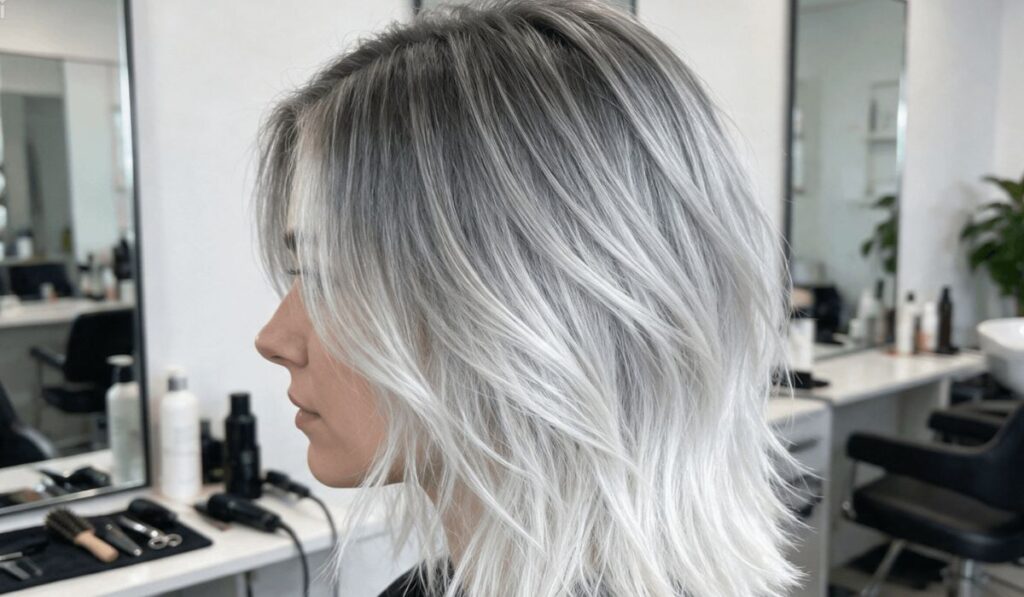
A hair colour filter is a digital effect that finds the hair in a photo or live video and changes its colour, tone and texture. The best known is probably the silver hair filter, which lets you see yourself with grey or platinum strands without dye, bleach or any long-term commitment.
Roughly, it goes like this. The camera captures an image and the software finds your face. It then maps the area around your head to separate hair from skin and background. Once it has isolated the hair, it adjusts the colour values and adds highlights and shadows so the new shade looks believable rather than flat. All of that happens in moments, so you can turn your head, change the lighting and watch the effect update on screen. I’ll admit the first time I did that, I laughed out loud.
The Technology Behind Realistic Hair Effects
Several technologies work together here, and knowing a little about them explains why some results look convincing and others look painted on.
Segmentation models. These machine learning systems label every pixel as hair, skin, clothing or background. Accuracy matters most at the edges, where loose strands and flyaways are hard to separate from whatever is behind you. This is where cheap filters usually give themselves away.
Face and landmark tracking. Tracking keeps the effect attached to your head as you move. The software follows dozens of points around the face and hairline, frame by frame, which stops the colour drifting or flickering.
Colour blending and relighting. Simply painting grey over dark hair gives a dull, flat look. Better tools keep the original light and shadow patterns so the strands keep their depth. That’s why a well-made effect still shows the natural shine and volume of your hairstyle.
Texture synthesis. Grey hair often has a slightly coarser, more reflective texture than pigmented hair. Some advanced filters try to mimic this by adjusting fine detail, not just the shade.
Popular Uses for Aging and Hair Color Effects
It isn’t all just for fun, though the fun part is real. People use these tools in a handful of ways.
Personal styling decisions. Many people preview a shade before committing to a big change. Seeing a colour on your own face tells you far more than a swatch or a model in an advertisement ever will. I wish my friend had known that in the chemist aisle.
Social media content. Short videos and photo trends often use ageing effects for humour, nostalgia or storytelling. Comparing how you and your friends might look in a few decades is oddly addictive.
Salon consultations. Some stylists use digital previews to show clients what a proposed colour might look like. That can help set expectations and cut down on misunderstandings, which anyone who has walked out of a salon unsure is probably grateful for.
Creative and professional work. Photographers, video editors and designers use similar effects for concept art, character design and campaign mockups, particularly when a full shoot with makeup or wigs would be expensive.
Education and awareness. Ageing simulations are sometimes used to help younger people picture different life stages, and they can start good conversations about how appearance changes over time.
Tips for Getting Natural Looking Results
Even the best software depends on what you feed it. A few habits make a noticeable difference.
Use even lighting. Soft, natural light near a window works better than harsh overhead bulbs. Strong shadows can confuse the software and leave the colour patchy.
Keep the background simple. A plain wall helps the filter separate your hair from its surroundings, especially if your hair is curly or voluminous.
Face the camera directly at first. Starting with a clear, front-on view gives the tracking a stable reference before you start moving around.
Pull stray objects away. Hats, large earrings and hair accessories can interfere with detection, so take them off if you want a clean result.
Compare different intensities. If the tool has a strength slider, try several levels. A subtle blend of grey often looks more realistic than a fully white effect.
Match the tone to your skin. Cool-toned greys tend to suit pale or pink undertones, while warmer champagne shades can flatter olive or golden complexions. That’s a general guide rather than a rule, so trust what you see on your own face.
Privacy and Responsible Use
Because these tools process images of faces, privacy deserves a moment of thought. Before you use an app, read how it handles your photos. Some tools process images on your device, while others upload them to remote servers. It’s worth checking whether images are stored, for how long and whether they’re used to train future models. I know nobody reads the fine print, but this is one place where it’s worth a few minutes.
Remember too that a filter gives you an approximation, not a guarantee. Real hair reacts differently to bleach and toner depending on its natural pigment, thickness and condition. Treat the preview as a starting point for a conversation with a professional stylist, not a replacement for one. And if you share an edited image publicly or use it in a professional setting, say that it has been edited.
Where This Is Heading
Digital hair colour effects have moved from novelty to something genuinely useful. By combining segmentation, face tracking and realistic colour blending, they let you explore new looks at no cost and no risk to your actual hair. Whether you’re curious about going grey, planning a salon visit or making content, a well-built silver hair filter is a quick, low-pressure way to picture the change.
The technology will probably keep improving, especially with fine strands, lighting and texture. For now, the sensible approach is to use these tools with a bit of thought: start with good lighting, pick apps you trust, look after your privacy and treat the result as inspiration, not a promise. And if you’re ever standing in a chemist aisle holding up a box of dye, take a quick photo first.

