
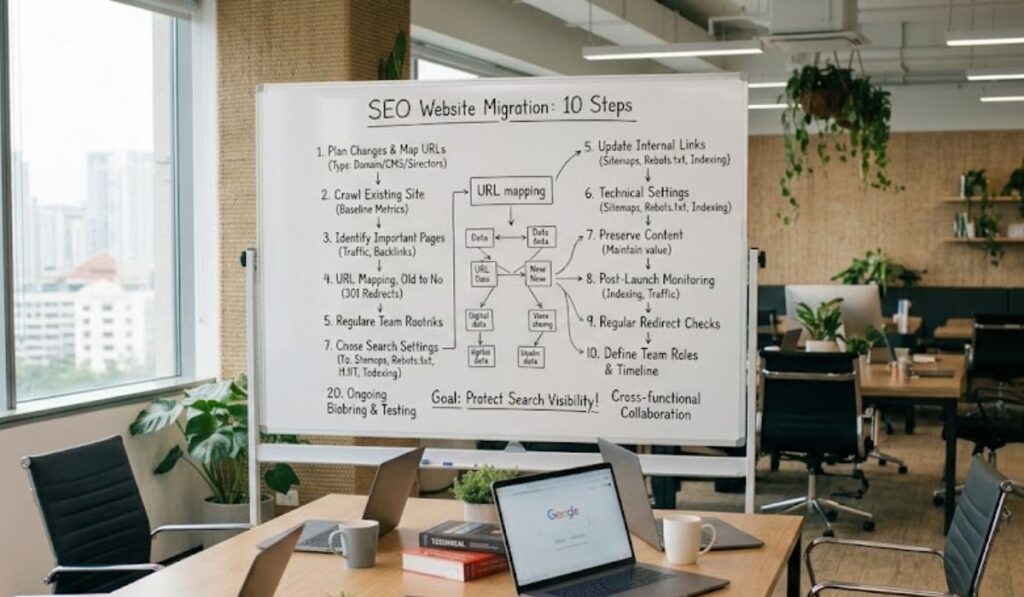

Moving a website to a new platform, domain, structure, or design can be a genuinely important step for a growing business. It’s also a lot more than transferring files and launching a redesign and calling it done. That assumption is where most of the damage happens.
Overlook SEO during the process and valuable pages quietly disappear, URLs shift without proper redirects, and search engines end up struggling to make sense of a site that technically still exists but has effectively vanished from results. A well-planned SEO migration service cuts down on these risks and gives search engines a clear path from the old site to the new one. Here’s what’s actually worth paying attention to, before, during, and after the move.
1. Understand What Is Changing
Start by getting specific about what kind of migration is actually happening. Moving to a new domain. Switching content management systems. A full redesign. Restructuring URLs. Sometimes all of it at once. Each brings its own set of SEO headaches, so lumping them together under one plan tends to miss things.
Before development starts, document the planned changes properly. Which URLs, page types, content sections, and technical elements are actually affected. It becomes the reference point you’ll keep coming back to, and it’s a lot easier to spot problems later when you’ve got something to compare against.
2. Crawl the Existing Website
Before touching anything, it helps to understand how the current site’s actually built. A crawl pulls together existing URLs, page titles, headings, internal links, status codes, redirects, all of it. That becomes your baseline, and trying to reconstruct it after the fact is genuinely painful. Do it first.
3. Identify Important Pages
Not every page carries the same weight. Some pull in serious organic traffic, backlinks, real leads. Those deserve real attention during planning, more than the rest of the site combined.
Look at historical performance, rankings, backlinks, conversions where they apply. That data tells you what actually needs preserving or carefully redirected, rather than treating a two-hundred-page site as though every page matters equally, which it never does.
4. Map Old URLs to New URLs
This is where a lot of the real risk sits. If an old page has a clear new equivalent, redirect the old URL straight to it, not to the homepage as a catch-all.
Blanket homepage redirects feel easy in the moment. They also create a rough experience for anyone landing there and tell search engines nothing about how the old and new pages actually relate. Redirects need planning around what each URL was actually doing, not a shortcut taken because nobody had time to map it properly.
5. Check Internal Links
Changing URLs breaks internal links more often than people expect. Links pointing to old pages need reviewing and updating, which keeps visitors landing on the right content and gives search engines a cleaner path through. On a larger site with hundreds of interconnected pages, one missed internal link can quietly create a dead end nobody notices for months.
6. Review Technical SEO Settings
Before launch, go through canonical tags, XML sitemaps, robots.txt, and indexing settings properly. The classic mistake here is leaving a development site’s noindex instruction in place after launch, which keeps pages out of search results entirely, sometimes for weeks before anyone catches it. Check the new site carefully both before launch and immediately after.
7. Preserve Valuable Content
A redesign is a decent excuse to tidy up content, but cutting large amounts of it without checking first tends to create losses that were completely avoidable. Before deleting anything, weigh its existing traffic, rankings, backlinks, and actual business value.
If content’s getting consolidated, the replacement page needs to serve a similar purpose and actually be useful, not just exist as a placeholder that technically covers the topic.
8. Monitor the Website After Launch
The work doesn’t stop the moment the new site goes live. The first few weeks matter enormously. Watch indexing, organic traffic, rankings, redirects, and crawl errors closely during that window.
Comparing the new site against your pre-migration baseline is what actually catches problems fast. A sudden drop in indexed pages or organic traffic almost always means something wasn’t redirected correctly, or an indexing issue snuck in somewhere along the way.
9. Check Redirects Regularly
Test redirects after launch to confirm old URLs actually land where they’re supposed to. Watch for redirect chains, loops, and redirects that don’t need to exist at all. A direct path from old URL to new equivalent is a lot easier to manage than a tangled chain nobody fully remembers building.
10. Treat Migration as an SEO Project
Migrations pull in designers, developers, content teams, marketers, and business owners all at once, and SEO tends to fall through the cracks when nobody’s clearly responsible for it. Build SEO requirements into the timeline from the start, not as an afterthought bolted on near launch.
SEO shouldn’t be something checked once after launch and forgotten. It belongs in planning, development, testing, and post-launch monitoring, at every stage rather than just the end.
Where This Leaves You
An SEO migration takes real preparation, since even small technical oversights can genuinely affect how users and search engines actually access a site. URL redirects, content preservation, internal linking, indexing settings, post-launch monitoring, skip any one of these and it tends to show up eventually, usually at the worst possible time.
The goal was never just launching a new website. It’s making the move while holding onto as much of the old site’s search equity and accessibility as possible. Get the planning and the ongoing checks right, and a major website change becomes a stronger foundation for organic search going forward, rather than a setback you’re still recovering from months later.
